HoaVPN Gift Codes: What They Are and How to Use Them
Gift codes are promotional vouchers that allow users to receive additional HoaVPN benefits at no extra cost.
Gift codes may be distributed through:
- Seasonal or occasional surveys
- Anniversary and special-event promotions
- Loyalty rewards
- Service compensations
⭐ Types of HoaVPN Gift Codes
Gift codes may be redeemed for one of the following benefits:
- Free Subscription — Grants access to a new VPN plan for a specified duration.
- Bonus Traffic — Adds extra data to your current subscription.
- Bonus Days — Extends the validity period of your active plan.
All benefits are automatically applied to your account once the code is successfully redeemed.
⭐ How to Activate a Gift Code
If you have received a gift code, follow the steps below to redeem your reward.
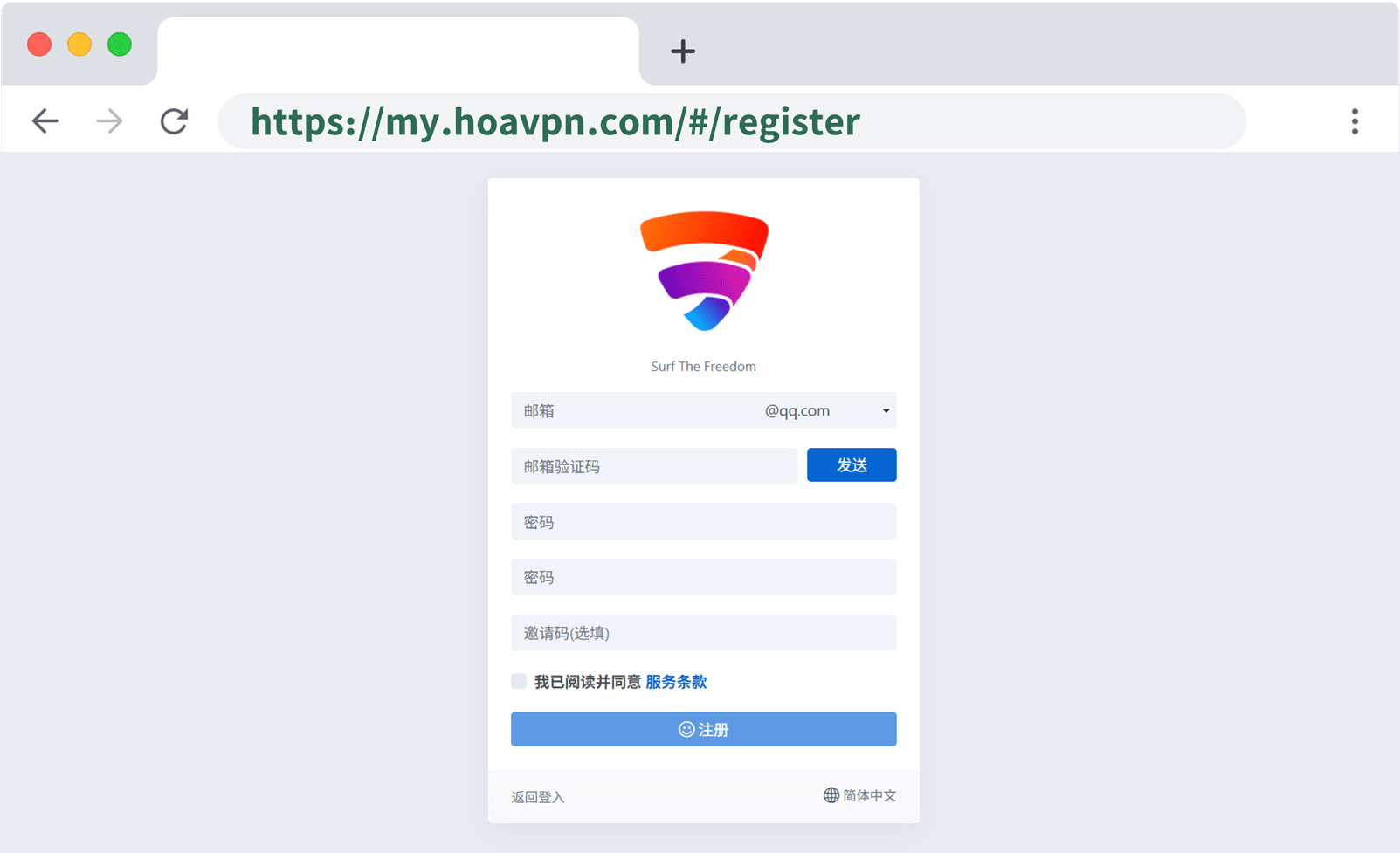
Step 1 — Log in to Your Account
Access your user account [here].
If you do not yet have an account, you may create one [here]. before proceeding.
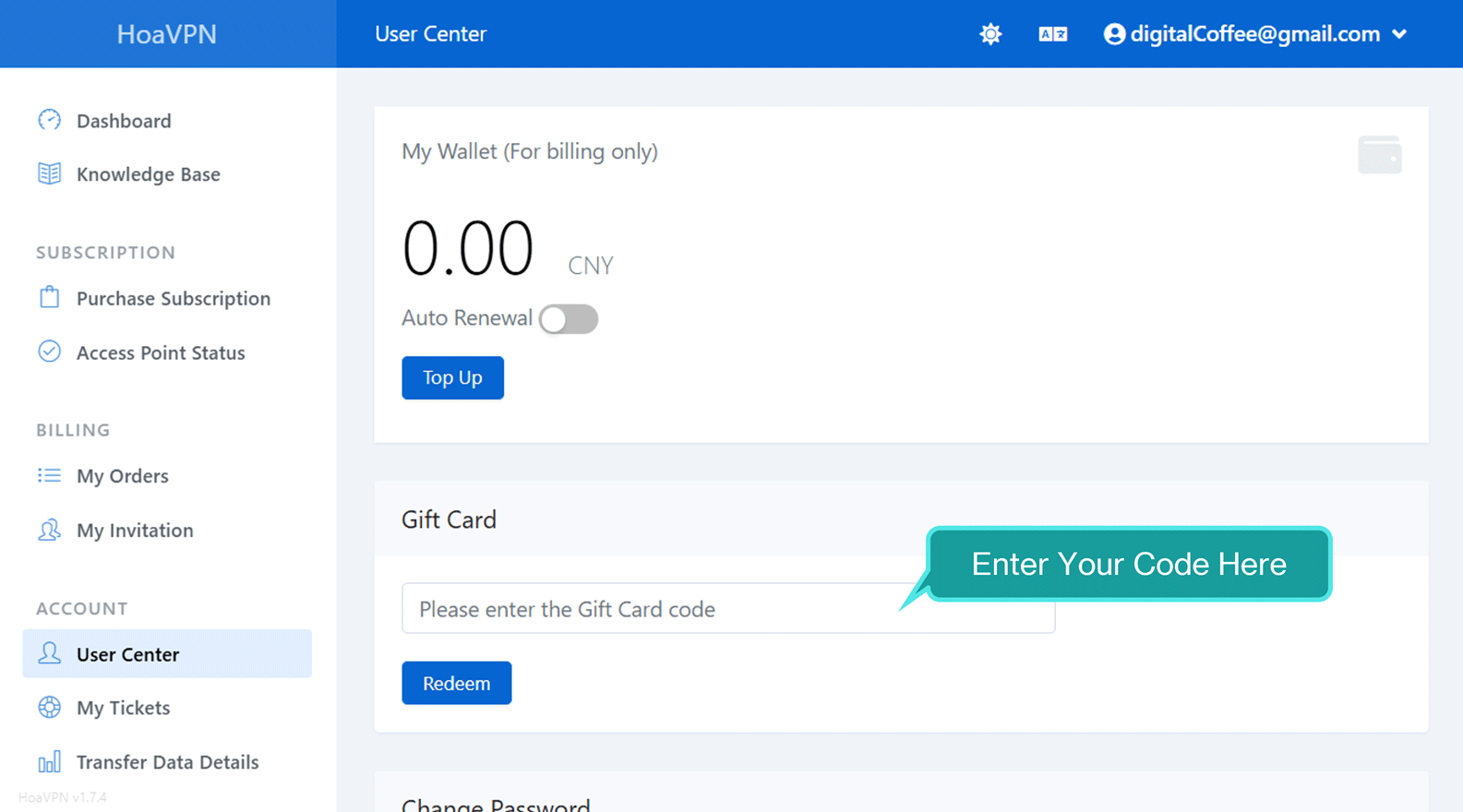
Step 2 — Enter Your Gift Code
From the left sidebar, navigate to User Center.
On the displayed page, locate the Gift Card section, enter your code (letters and numbers), and click Redeem button.
Once completed, your reward will be activated immediately.
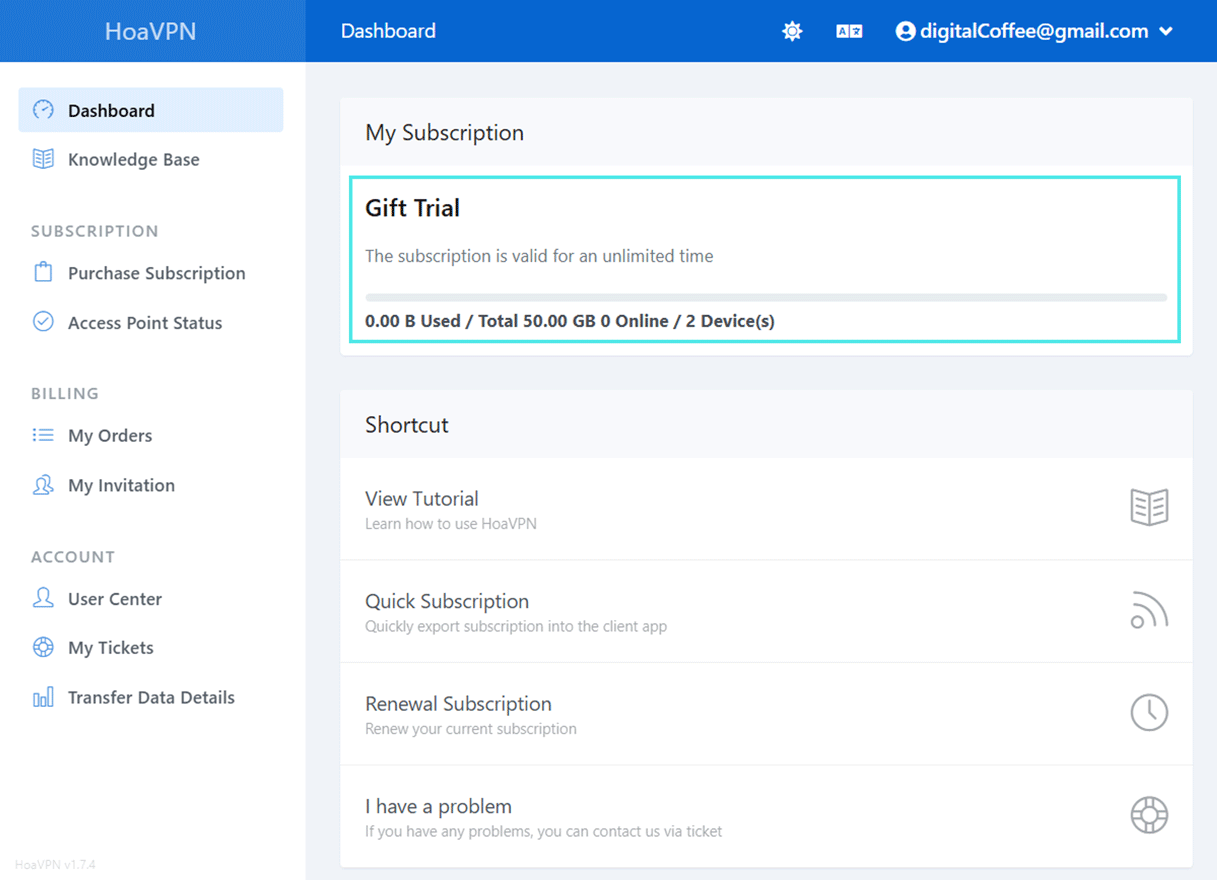
Step 3 — Verify Your Reward
Open your Dashboard and review the My Subscription section.
- If your code includes bonus traffic or bonus days, your existing subscription will be updated automatically.
- If your code provided a free subscription, the new plan will appear alongside your active services with its allocated traffic and duration.
Step 4 — Update Your Subscription (Important)
To ensure the changes take effect in your client application, you may need to update your subscription URL. Additionally, depending on your promotion code, your previous subscription URL may be subject to change. Therefore, it is always best practice to not only check your subscription URL but also update it within your client apps.
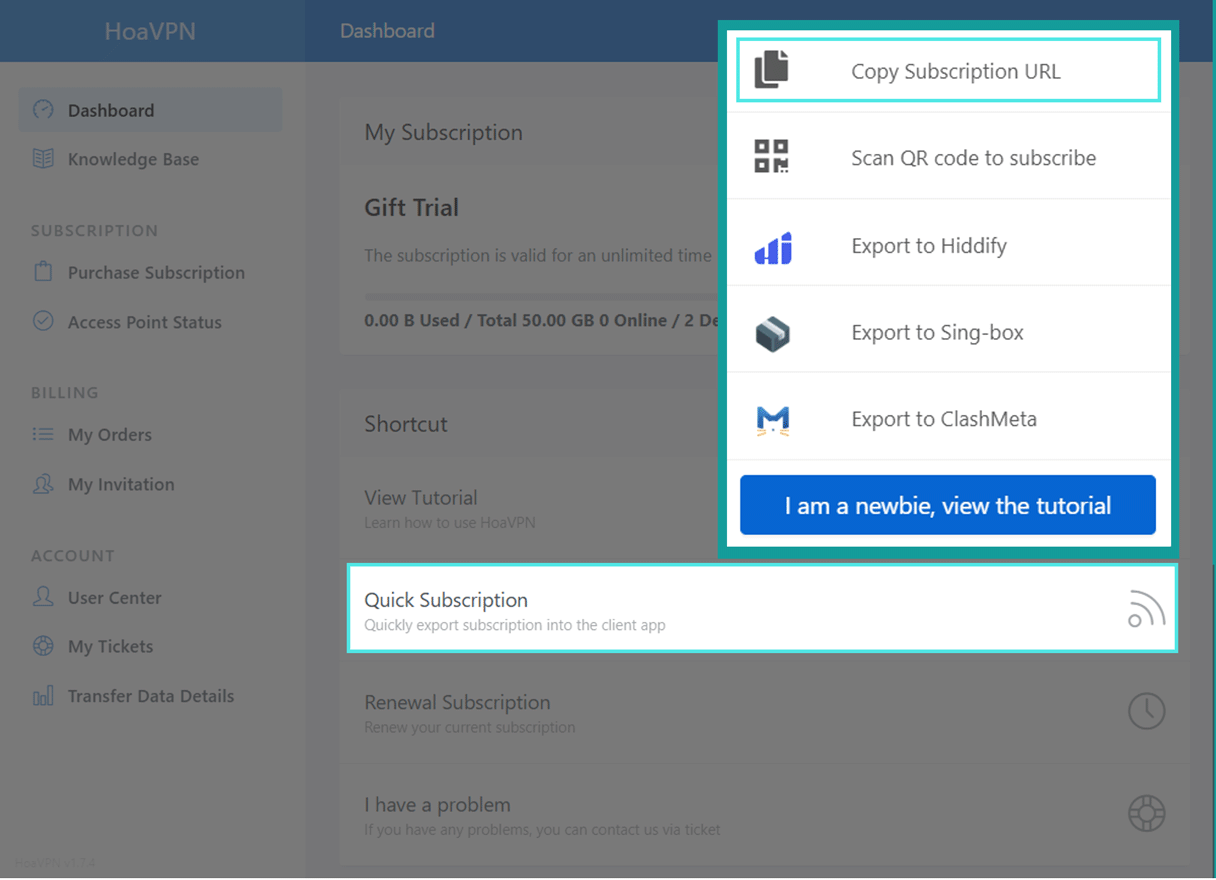
Navigate to:
Dashboard → Quick Subscription → Copy Subscription URL
Lastly, you must update your subscription through your installed client app. If you are unfamiliar with importing a subscription URL — or if you do not yet have a client app — please visit the Downloads page and follow the setup instructions for your device.
HoaVPN 礼品卡:什么是礼品卡以及如何使用
礼品卡是一种促销奖励代码,用户可以通过兑换礼品卡获得额外的 HoaVPN 服务权益,且无需额外付费。
礼品卡可能通过以下方式发放:
- 季节性或不定期问卷活动
- 周年庆或特别活动优惠
- 忠诚用户奖励
- 服务补偿
⭐ HoaVPN 礼品卡类型
礼品卡可兑换以下其中一种奖励:
- 免费订阅 — 在指定期限内获得新的 VPN 订阅服务
- 额外流量 — 为当前订阅增加额外数据流量
- 延长天数 — 延长当前订阅的有效期
如果您已获得礼品卡,请按照以下步骤操作:
⭐ 如何兑换礼品卡
如果您已获得礼品卡,请按照以下步骤操作:
第一步 —— 登录账户
点击此处登录您的账户。
如果您还没有账户,请先 点击此处注册,然后再继续操作。
第二步 —— 输入礼品卡
在左侧菜单栏进入 个人中心。
在页面中找到 礼品卡 区域,输入您的兑换码(字母和数字),然后点击 兑 换 按钮。
完成后,奖励将立即生效。
第三步 —— 查看奖励是否到账
进入 仪表盘 页面,在 我的订阅 部分查看。
- 如果兑换的是额外流量或延长天数,当前订阅会自动更新。
- 如果兑换的是免费订阅,新订阅将显示在您的服务列表中,并包含相应的流量和有效期。
第四步 —— 更新订阅(重要)
为确保奖励在您的客户端中生效,您可能需要更新订阅地址。
根据您使用的礼品卡类型,原有的订阅地址可能会发生变化。因此,建议始终检查并更新您的订阅地址。
操作路径:
仪表盘 → 一键订阅 → 复制订阅地址
然后,在您的客户端中更新订阅。
如果您不了解如何导入订阅地址,或尚未安装客户端,请前往下载页面,根据您的设备类型查看安装与配置说明。
更新订阅后,客户端将加载最新的服务器节点和配置。